









Customers rarely open chat because they want a long conversation. Most of the time, they have one practical question: is the product in stock, when will the order ship, can they return it, where is the parcel, can they get an invoice, does the discount code work?
The real problem starts when those questions arrive from several places at once: website live chat, email, Facebook, Instagram, WhatsApp, Amazon, marketplaces or multiple language versions of the store. In that situation, many teams do not need more headcount first. They need a better process.
A well-implemented live chat can help an online store handle more conversations, but not as a lonely widget in the corner of the site. It works best with saved replies, mobile access and one inbox for customer messages. If you are still comparing tools, start with our guide to free live chat with no message limits.
Why stores reply too slowly even when the team is busy
In many stores, the issue is not a lazy team. The issue is friction.
An agent checks email, the store backend, social channels, marketplace panels, website chat and sometimes a separate delivery sheet. On top of that, the same questions repeat all day, but someone still writes the answer from scratch every time.
The most common bottlenecks are:
- customer messages spread across different tools,
- manual typing of the same answers,
- no short templates for common questions,
- switching between desktop and phone,
- no quick access to conversations outside the office,
- delayed marketplace and social replies,
- slower handling of international customers,
- no clear rule for who answers where.
If the store keeps growing, “let’s reply faster” is not a process. The real goal is to shorten the path from the customer’s question to a ready answer.
Live chat works best for simple ecommerce questions
Live chat does not need to replace the whole support process. Its strongest use case is when the customer is close to buying and needs a quick confirmation.
| Customer question | Why does speed matter? | How can the team speed it up? |
|---|---|---|
| Is this product available? | The customer may buy now or leave for another store. | A short template and a quick stock check. |
| When will you ship my order? | The customer wants to know if it will arrive in time. | A saved reply about fulfilment time. |
| Can I return the product? | The customer wants reassurance before buying. | A short return template with the next step. |
| Where is my parcel? | In many cases the team only needs to check the status. | A quick answer plus a request for the order number. |
| Can you issue an invoice? | A business customer wants to buy without extra friction. | A saved reply explaining what billing details are needed. |
| Does this discount code work? | The customer is at the end of the buying journey. | A short reply asking for the code or product link. |
In those moments, the response time often decides whether the customer completes the order.
A website chat widget alone is not enough
Adding live chat to the store is a good start, but it does not solve the full support problem. If website chat sits in one tool, Facebook messages in another, email in a third place and marketplace questions somewhere else, the team still wastes time.
That is why live chat works best as part of a larger setup:
- website live chat,
- saved replies for repeated questions,
- one inbox for customer messages,
- mobile access for quick replies,
- AI translation for international customers.
That mix increases the number of handled conversations without growing the team because it removes copying, tool switching and message hunting.
Message templates are the biggest shortcut in daily support
In ecommerce, a large share of questions repeats every day. That does not mean customers should get a cold robotic answer. It means the team should have a prepared starting point.
In Chataptor, reply templates can be assigned to slash commands such as:
/hold/product/status/delivery/return/invoice/discount
The agent types the command and inserts a ready reply that can still be adjusted to the exact case.
Example templates for an online store
1. A quick “one moment” reply
Command: /hold
I am checking that now. Please give me a moment and I will come back with the details.
2. Product availability
Command: /product
I will check the availability of this product. Please send the product name, link or SKU so I can confirm the details quickly.
3. Order status
Command: /status
I can check the order status for you. Please send the order number or the email address used for the purchase.
4. Delivery
Command: /delivery
The fulfilment time depends on the delivery method and product availability. If you send the order number or product link, I can check the exact timing.
5. Return
Command: /return
We can help with the return. Please send the order number and I will share the next steps.
6. Invoice
Command: /invoice
Yes, we can issue an invoice. Please make sure the billing details were added to the order or send them in your reply.
7. Discount
Command: /discount
Please send the discount code you are trying to use. I will check whether it applies to this product and order.
If you want to expand that library, see our article with live chat canned responses.
One panel instead of jumping between channels
Customers write wherever it is easiest for them: on the website, by email, on social media or through a marketplace. For the customer, it is one issue. For the store, it often becomes five inboxes.
That is one of the main reasons replies get delayed. The agent does not see the full context, has to open multiple tools and can easily miss a message.
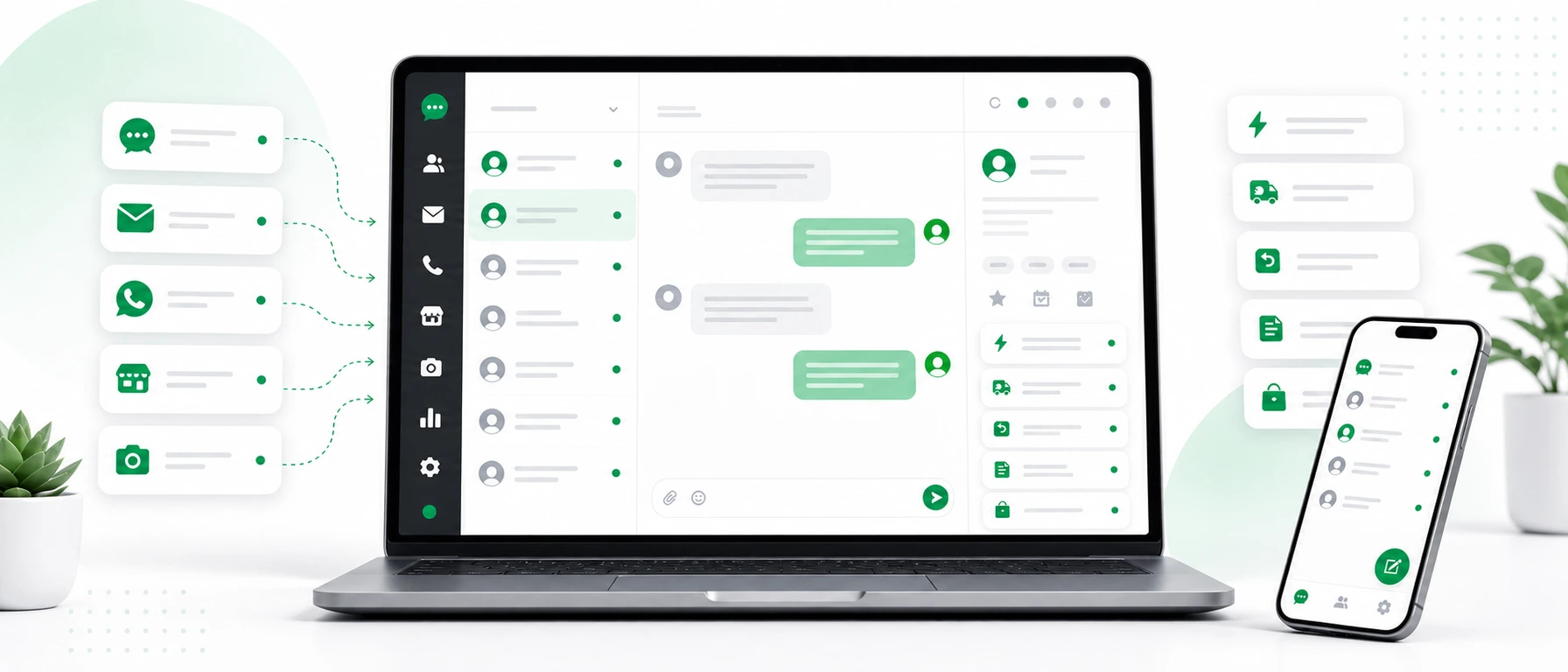
Chataptor brings messages into one panel from channels such as:
- website live chat,
- email,
- Facebook and Instagram,
- WhatsApp,
- Amazon and other marketplaces,
- different domains and language versions of the store.
That gives the team one working queue instead of a morning routine built around checking every platform separately.
Mobile support means fewer missed sales opportunities
In small and mid-sized online stores, customer support is often handled by people who also manage orders, talk to suppliers, coordinate the warehouse or supervise marketing.
If every reply requires sitting at a computer, some conversations will wait. The customer may not.
That is why mobile access matters. Even a short answer can lower the tension:
I am checking your order status now. Please give me a moment.
That kind of message can be sent from a phone and followed up with details later. We share more examples in the guide to customer support from a phone.
International customers: faster replies without a separate language team
If the store sells abroad, the reply speed drops not only because there are more messages, but also because of language. Copying every conversation into an external translator quickly becomes another bottleneck.
That is where AI translation helps. A customer can write in German, French or Italian, the agent can read and answer in English, and the customer still receives the answer in their own language. We explain this workflow in more detail in our articles about a website chat with automatic translation and multilingual ecommerce customer support.
How to handle more customer messages without hiring another person
This kind of change can be introduced gradually. It does not require rebuilding the whole support process on day one.
Step 1: list the 20 most common customer questions
Review recent conversations and write down the topics that appear again and again. In ecommerce, these are usually product availability, delivery, order status, returns, complaints, invoices, payments, discounts or product variants.
Step 2: turn the most common answers into templates
Prepare a short reply for each recurring question. A good rule is simple: a template should give a clear direction but still leave room to adapt.
Instead of sending a long return policy right away, it is better to start like this:
I can help with the return. Please send your order number and I will share the next steps.
It is quick, clear and keeps the conversation moving.
Step 3: agree on commands for the team
Commands should be short and easy to remember. For example:
| Command | When to use it |
|---|---|
/hold | When you need a moment to check something. |
/status | When the customer asks about an order. |
/delivery | When the customer asks about shipping. |
/return | When the customer asks about returns. |
/invoice | When the customer asks for billing documents. |
/discount | When the customer has a problem with a code. |
/product | When the customer asks about stock or product details. |
It matters that the whole team uses the same shortcuts. That makes support faster and more consistent.
Step 4: bring messages into one inbox
If the store uses live chat, email, social media and marketplaces, checking each channel separately becomes more expensive over time. You do not always see that cost in the budget, but you see it in delays, mistakes and lost conversations.
One customer support panel brings order. The team sees what came in, from which channel and what needs action.
Step 5: add support from a phone
Not every answer needs a long investigation. Many conversations can be moved forward with a simple message:
I am checking your order status now. Please give me a moment.
That reply does not close the case, but it reduces the tension on the customer side. The customer knows they are not writing into a void.
Step 6: measure not only response time, but also how many cases get moving
In ecommerce, it matters not only when a case is closed. It also matters how quickly the customer gets the first signal that someone is already working on it.
When you review support, it helps to track:
- how many conversations were handled on a given day,
- how many questions are still waiting for a first reply,
- which questions repeat most often,
- which channels generate the most messages,
- which templates are used most often,
- where delays still appear.
Mini scenario: a store before and after organizing communication
Imagine a store selling home accessories. Customers ask about availability, delivery, returns and invoices. The store has website chat, email, Instagram and marketplace sales.
Before the change:
- one person checks email,
- another watches Instagram,
- chat questions are handled only from a computer,
- return replies are written manually,
- a marketplace customer waits because nobody checked the panel,
- in the afternoon the team tries to figure out what is still unanswered.
After the change:
- messages arrive in one panel,
- common replies are available as commands,
- simple questions can be handled from a phone,
- the customer gets an immediate signal that the case is being checked,
- the team does not waste time searching for messages across apps,
- repeated topics are handled faster and more consistently.
This is not magic or full automation. It is removing small obstacles that steal time every day.
How does Chataptor help online stores reply faster?
Chataptor combines several elements that work especially well together in ecommerce.
First, it can work as free live chat for your website, so a customer can quickly ask about a product, delivery, a return or an order.
Second, Chataptor works as one customer support panel. Messages from several places can go into one inbox, so the team does not need to switch between apps.
Third, Chataptor includes message templates. You can prepare saved replies and use them with commands such as /delivery, /return or /invoice.
Fourth, Chataptor helps with mobile support. If a simple conversation needs a quick reaction, the team can reply from a phone.
Fifth, Chataptor supports international customers with AI translation. The customer can write in their own language, the agent can read and reply in the team’s working language, and the customer still receives the answer in their own language. This is especially useful for stores with several language versions or sales across different markets.
And importantly: Chataptor is 100% free, with no limits and no paid features. For a store that wants to organize communication without adding another cost to the budget, that is a practical starting point.
Checklist: what should you prepare before adding live chat to a store?
Before adding chat to the website, it is worth answering a few questions. That way live chat does not become just another inbox that nobody checks regularly.
- Who answers live chat questions?
- During which hours does the store realistically reply to customers?
- What are the most common questions before a purchase?
- What are the most common questions after a purchase?
- Do we have saved replies for delivery, returns, invoices and order status?
- Do social and email messages also go into one place?
- Can someone reply from a phone when they do not have access to a computer?
- Do we support international customers?
- Do templates need to differ by country, domain or language version?
- How will we check which questions still take the most time?
This checklist helps avoid a common mistake: the store adds chat, but does not change the support process. Then message volume grows, but response time does not necessarily improve.
The most common live chat mistakes in an online store
1. No fast first reply
Even if the issue needs checking, the customer should quickly get a sign that someone is handling it. A /hold template solves many of those situations.
2. Templates that are too long
A saved reply should not sound like part of the terms and conditions. The customer needs the next step, not a wall of text.
3. Separate channels without one inbox
Live chat helps, but if the rest of the messages stay fragmented, the team still loses time.
4. No versions for different markets
If the store operates in several countries, a delivery or return reply may need to differ depending on the domain, market or language version. Templates should reflect that.
5. Replying only from desktop
Many simple questions can be handled from a phone. No mobile support means avoidable delays.
FAQ
Can live chat for an online store really increase sales?
Live chat can help sales because it lets you answer questions that block a purchase. It works best for simple concerns: availability, delivery, returns, payment, invoicing, discounts or product fit.
How can you shorten response time in an online store?
The simplest start is three things: collect messages in one inbox, prepare reply templates and enable support from a phone. That way the team loses less time switching tools and typing the same answers manually.
What are message templates in live chat?
Message templates are saved replies for repeated customer questions. In Chataptor, they can be assigned to commands such as /delivery, /return or /invoice and inserted into the conversation quickly.
Do saved replies sound artificial?
They can sound artificial if they are too long and impersonal. Good templates are short, natural and treated as a starting point. The agent can adapt them to the exact situation.
How do you handle live chat, email and social messages in one place?
Use a customer support inbox that collects messages from multiple channels in one panel. Chataptor helps organize communication from website chat, social media, email, marketplaces and different store domains.
Is live chat useful for a small online store?
Yes, especially when a small team gets repeated questions and does not want to lose time writing the same replies manually. Live chat combined with templates and a mobile app can take pressure off day-to-day support.
How do you handle international customers on live chat?
The most convenient option is a tool with automatic message translation. In Chataptor, the customer can write in their own language, the agent can read and reply in the team’s working language, and the customer receives the answer in their own language.
Is Chataptor free?
Yes. Chataptor is 100% free, with no limits and no paid features. You can use it as live chat, a customer support inbox, a message template tool, mobile support and multi-channel customer communication.
Summary
An online store does not always need a bigger team to answer more messages. It often needs less chaos.
The biggest difference comes from combining a few simple elements: live chat on the website, saved replies, one panel for customer messages, mobile access and, if the store sells abroad, automatic translation.
That way the team does not have to write everything from scratch, check several apps and spend time organizing work instead of actually helping customers.
If you want to organize customer messages and reply faster without growing the team, Chataptor is a good place to start. You can add free live chat to your store, prepare reply templates and gather communication from multiple channels in one panel.
Keep reading
Related guides
The most expensive customer message is the one no one noticed
A missed customer message can mean a lost sale, complaint or relationship. See why messages disappear and how a shared inbox helps prevent it.
How to support an online store in 20 languages from one inbox
Learn how to prepare customer support for a multilingual online store. One inbox, automatic translations, response templates and the BROWIN example.
Live chat canned responses: 30 templates for customer support
Use these 30 live chat canned responses for customer support, sales, delivery questions, returns, complaints, quotes and international customers.