









Live chat works best when customers get a clear answer quickly. The challenge is that many questions repeat every day: product availability, delivery, invoices, returns, complaints, lead qualification, service dates or the right person to contact.
That is why live chat canned responses are worth preparing. They are not meant to make your team sound robotic. They help agents answer faster, keep the tone consistent and avoid writing the same message again and again.
If you are still choosing a chat tool, start with our guide to free live chat with no message limits. If your team handles more than one channel, also see how to keep customer messages in one place.
What makes a good live chat response?
A good live chat response is short, human and specific. Customers do not open chat to read a long policy. They want to know what happens next.
A simple rule helps:
Answer the customer first, then add the next step.
Instead of:
Thank you for contacting our company. Your request will be forwarded to the appropriate department.Write:
Hi, I will check that for you and come back with an answer in a moment.It is still professional, but it feels like a real conversation.
30 live chat canned responses
Use these examples as saved replies, quick commands or a starting point for your own templates. Replace placeholders like [product name], [time], [email address] or [order number] with your own details.
1. First message on chat
Use when: a customer starts a conversation.
Hi! How can I help?A warmer version:
Hi! I am here on chat and happy to help. Please tell me what you need.2. When you need a moment to check
I am checking that now. Please give me a moment.If it may take longer:
I will check this carefully so I do not give you the wrong information. I will be back with an answer shortly.3. When the product is available
Yes, this product is available. We can prepare the order right away.E-commerce version:
Yes, this product is currently in stock. You can order it directly on the website.4. When the product is unavailable
This product is currently unavailable. I can check when it may be back in stock or suggest a similar option.With follow-up:
This product is temporarily unavailable. Please leave your email address and we will let you know when it returns.5. When the customer asks about price
The price depends on the selected option. Please tell me which model or service scope you are interested in and I will give you a specific amount.B2B version:
We can prepare an individual quote. Please briefly describe what you need and I will forward it to the right person.6. When the customer asks for an offer
We will be happy to prepare an offer. Please send your email address and a short note about what the quote should include.More direct:
Sure, we can prepare an offer. Please leave your email or phone number and the right person will get back to you with details.7. When the conversation should go to sales
I will forward this conversation to our sales team. Please leave your phone number or email so we can come back with a specific answer.Short version:
This is a topic for our sales team. I will forward the message and ask the right person to contact you.8. When the customer asks about delivery time
Standard delivery time is [time]. The exact date depends on the selected product and delivery address.E-commerce version:
We usually ship orders within [time]. After dispatch, the customer receives a tracking link.9. When the customer asks about delivery cost
Delivery cost depends on the selected shipping method. After adding the product to the cart, the website will show available options and the exact price.Manual check:
I can check that. Please send the delivery city and the product you want to order.10. When the customer asks about order status
I will check the order status. Please send the order number or the email address used during purchase.After checking:
Your order is currently at the [status] stage. The next step is [next step].11. When the customer asks about an invoice
Of course. Please send the order number and invoice details, and we will check the document.When the invoice was sent:
The invoice was sent to the email address used in the order. Please also check spam or promotions folders.12. When the customer wants to return a product
Of course, we will help with the return. Please send the order number and I will share the next steps.With a link:
You can submit the return here: [link]. After completing the form, you will receive further instructions.13. When the customer wants to make a complaint
I am sorry there is a problem. Please send the order number and briefly describe the situation. We will forward the case to complaints.With photos:
Please send photos of the issue and the order number. This will help us review the complaint faster.14. When the customer is upset
I understand this situation is frustrating. I will check what we can do to clarify it as quickly as possible.Calm and specific:
I understand the problem. Please give me a moment to check the details and I will come back with a specific answer.15. When your company made a mistake
We are sorry about this situation. It should not have happened. I am checking the case now and will come back with information on how we can fix it.Shorter version:
You are right, we should have handled this earlier. I am checking how we can resolve it quickly.16. When the customer asks for a discount
For larger orders, we can check whether an individual quote is possible. Please tell me which order you have in mind.E-commerce version:
Current promotions are visible on the website. For a larger order, please leave your contact details and we will check what we can offer.17. When the customer asks about B2B cooperation
Thank you for your interest in cooperation. Please leave your email address, company name and a short description of the topic. We will forward it to the right person.Shorter version:
Sure, the right person handles B2B cooperation in our team. Please leave your contact details and we will get back to you.18. When the customer asks for a catalogue or price list
We can send the catalogue and current information. Please provide your email address and tell us which products or services you are interested in.With clarification:
We will be happy to send materials. Please tell us whether you need a general catalogue, a price list or a specific product group.19. When the customer asks about service availability
The nearest available date depends on the scope of the work. Please briefly describe the case and I will check availability.Simple version:
The current lead time is around [time]. For urgent cases, we can check the nearest possible date.20. When the customer writes outside working hours
Thank you for your message. We are currently outside working hours, but we will reply as soon as possible.To collect details:
Thank you for your message. Please leave your email or phone number and a short description of the case. We will contact you when we are back.21. When the customer stops replying
Can I help with anything else?After a longer break:
It looks like the conversation paused. If you need anything else, please write again - we will be happy to help.22. When you need contact details
So we can come back with a specific answer, please leave your email address or phone number.With context:
This case requires checking on our side. Please leave your contact details and we will get back to you.23. When the case must go to another department
I will forward this case to the appropriate department. Please leave your contact details so we can reply.More specific:
This is a topic for the [department name] department. I will forward the message and ask the right person to contact you.24. When the customer asks for a phone call
Of course. Please leave your phone number and a short note about the case. The right person will call you back.With hours:
We can call back between [hours]. Please send your phone number and a convenient time.25. When the customer asks about location
We are located at: [address]. I can also send you a map link.With opening hours:
You are welcome at: [address]. We are open from [hours].26. When the customer asks about an available appointment
I will check available dates. Please tell me which day or time would be most convenient for you.Quick answer:
We have an available slot on [date/time]. Should I reserve it for you?27. When the customer writes in another language
Hi! You can write in your own language. We will reply in a way that makes the conversation clear for both sides.With translation:
You can write in your own language - the message will be automatically translated, and we will reply as quickly as possible.We explain this workflow in more detail in the guide to automatic translation in customer support.
28. When the customer asks if they are speaking to a human
Yes, you are speaking with a person from our team. I will be happy to help.More relaxed:
Yes, there is a real person on the other side. Please go ahead.29. When you cannot help immediately
I do not want to give you incorrect information, so I need to check this. Please leave your contact details and we will get back to you.With timing:
I need to confirm this with the right person. We will return with information within [time].30. Ending the conversation
I am glad I could help. If you have any other questions, please feel free to write.More sales-oriented:
Thank you for the conversation. If any other questions come up, we are available on chat.How to use canned responses without sounding robotic
Canned responses are useful, but they should not be pasted without context. Treat them as a base and adjust the wording before sending.
Instead of sending the same sentence to everyone:
Thank you for your message. Your case has been forwarded to the appropriate department.Write:
Thank you for the details. I will forward this to our service team and ask them to contact you.The difference is small, but the customer feels that someone actually read the message.
Which canned responses should you add first?
Start with the situations that happen most often:
| Situation | Why a template helps |
|---|---|
| Greeting | Shortens first response time |
| Asking for a moment | Gives time to check information |
| Product availability | Very common in e-commerce and B2B |
| Delivery questions | Repeats often in online stores |
| Returns and complaints | Requires a calm, clear tone |
| Request for an offer | Helps collect details faster |
| Forwarding to a department | Keeps support organized |
| After-hours contact | Captures leads when nobody is online |
| International customer | Helps with multilingual support |
| Closing the conversation | Ends the contact professionally |
You do not need 100 templates on day one. Start with 10 truly useful replies and improve them based on real conversations.
Message templates in Chataptor
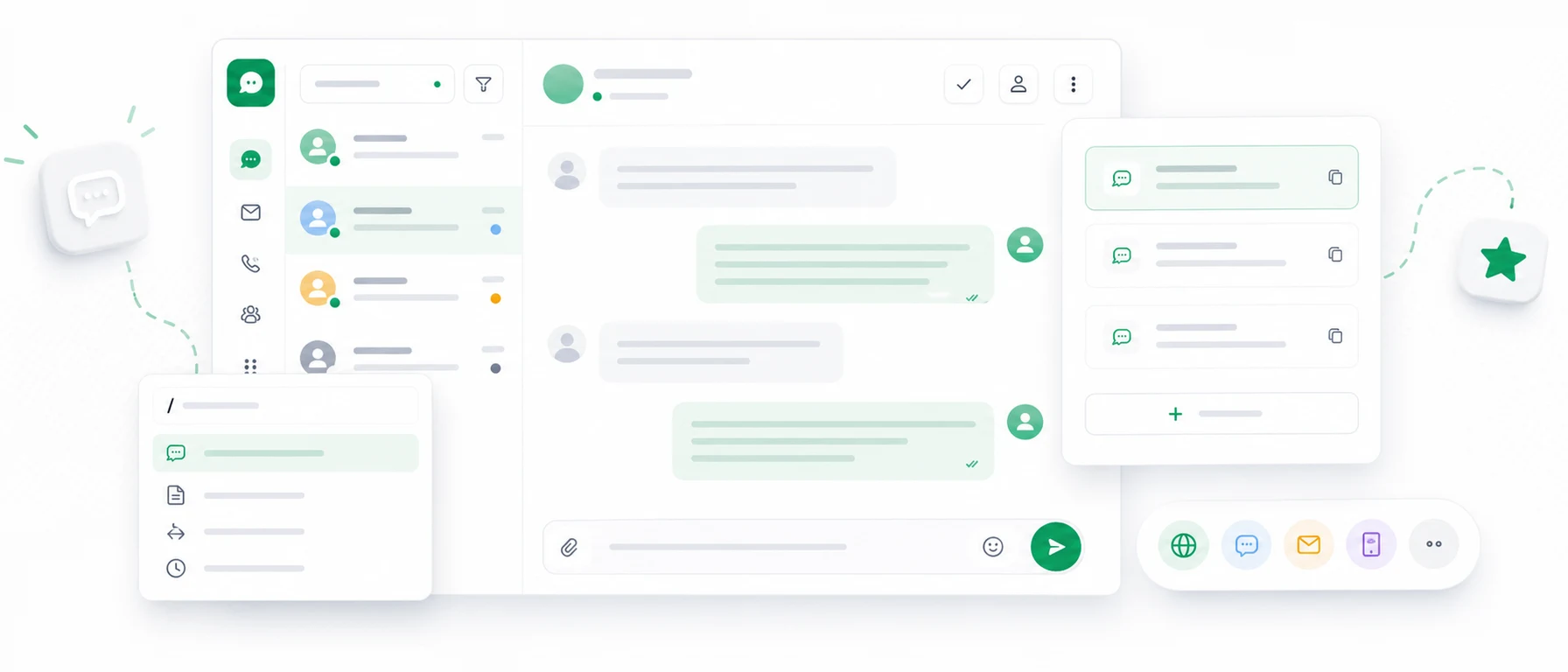
In Chataptor, canned responses can be saved as message templates and triggered with short commands. A company prepares the reply, assigns it to a command and the agent can insert the full message without typing it from scratch.
For example:
/waitcan insert:
I am checking that now. Please give me a moment.And:
/deliverycan insert a prepared answer about delivery terms and costs.
This is especially useful for questions that repeat many times a day: delivery, product availability, returns, complaints, invoices, sales handoff or escalation to another department.
Templates for specific websites and languages
Templates can also be adapted to specific websites or language versions. That matters when a company has multiple country domains or several language versions of an online store.
For example, a customer writes from the German version of a store and asks about delivery to Germany. The agent types:
/deliveryThe system can insert the right template for that website instead of a generic answer. The German version can include delivery details for Germany, the French version for France, and the Czech version for Czechia.
If the company uses automatic translation, the team can keep a base template in one language while the customer receives a reply in their own language. This saves a lot of time for teams serving several markets.
When do message templates save the most time?
Message templates work best when your company:
- receives many repeat questions,
- runs several language versions of a website,
- serves customers from multiple countries,
- often answers about delivery, returns, invoices and availability,
- wants to shorten first response time,
- has more than one support agent,
- wants to onboard new team members faster.
The goal is not to automate every conversation. The goal is to keep the most common answers close at hand.
Canned responses in Chataptor
Chataptor helps teams answer customers faster without writing the same messages from scratch. It is especially useful when the company handles messages from multiple channels: live chat, email, WhatsApp, Messenger, Instagram, Facebook or marketplaces.
Instead of switching between apps, the team can work in one inbox and use saved responses for common questions. Chataptor also helps with international customers through automatic AI translations.
Most importantly, Chataptor is currently free and has no message limits, so growing conversations do not immediately turn into extra software costs.
FAQ
What are live chat canned responses?
Live chat canned responses are saved messages that an agent can quickly send to a customer. They help answer repeat questions about availability, delivery, returns, complaints or quotes.
Do canned responses sound artificial?
They can sound artificial if they are too formal or sent without context. Good canned responses should be short, natural and easy to edit before sending.
Which canned responses should I prepare first?
Start with greetings, product availability, delivery cost, order status, returns, complaints, quote requests, after-hours messages and forwarding cases to another department.
Are canned responses useful for e-commerce?
Yes. In e-commerce, customers often ask about the same topics: stock, delivery, invoices, returns, complaints, shipping time and order status.
Can I create my own message templates in Chataptor?
Yes. Chataptor lets you create message templates and assign them to short commands such as /wait, /delivery or /offer.
Can templates work differently for different websites?
Yes. Templates can be adapted to specific websites or language versions, which is useful for teams working across multiple domains, languages or markets.
Summary
Live chat canned responses are not meant to replace people. They help people reply faster, more calmly and more clearly.
Prepare them first for repeat topics: product availability, delivery, returns, complaints, invoices, order status, quote requests, after-hours contact and international customers.
With Chataptor, you can create message templates, trigger them with short commands and manage conversations from many channels in one place. You can start using Chataptor for free.
Keep reading
Related guides
Live chat for an online store: how to answer more customers without growing the team
See how live chat, message templates, mobile support and one inbox help an online store reply faster without hiring a bigger team.
The most expensive customer message is the one no one noticed
A missed customer message can mean a lost sale, complaint or relationship. See why messages disappear and how a shared inbox helps prevent it.
Omnichannel customer service: bring every channel into one inbox
Learn what omnichannel customer service means and how to bring live chat, email, social media, WhatsApp and marketplace messages into one inbox.