









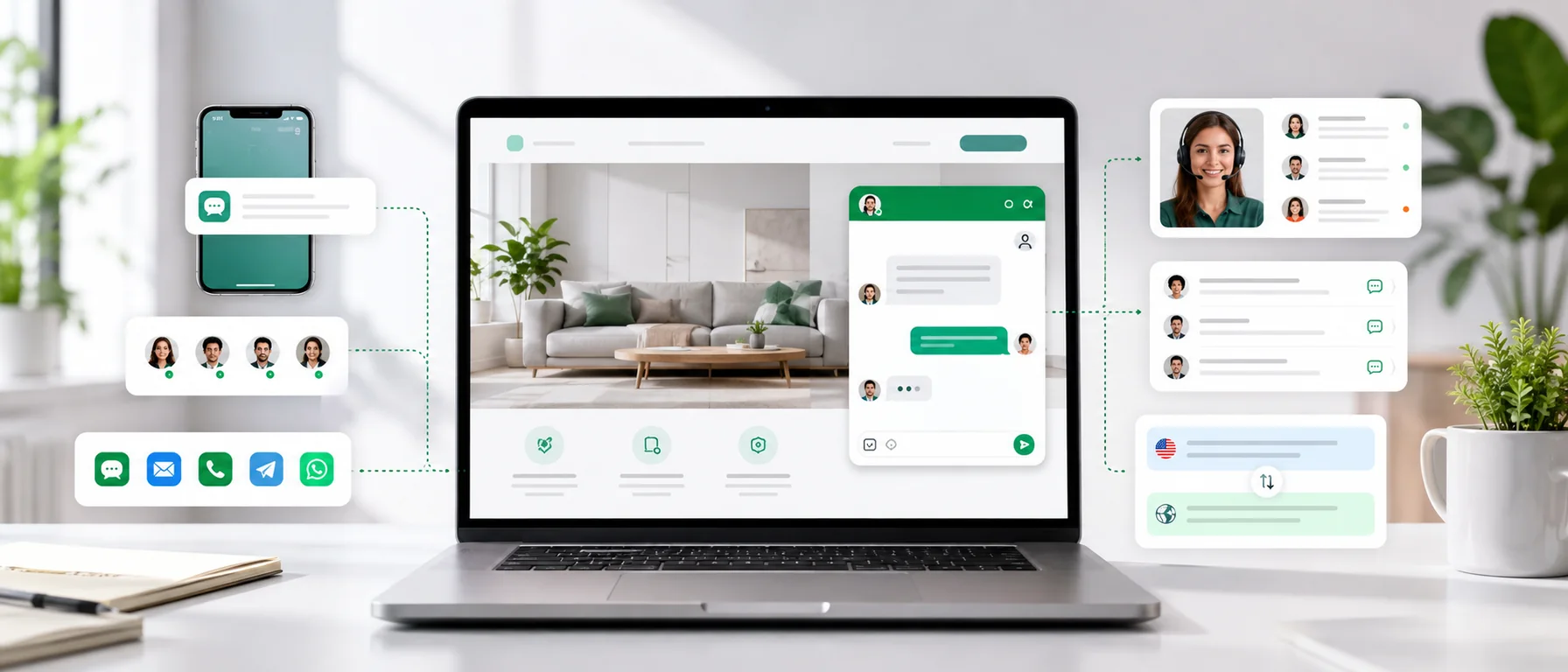
A potential customer is on your website right now. They are reading an offer, comparing products or deciding whether your service fits their business. Then a question appears.
If the answer is not on the page, they can open a form, write an email, call or return to Google and check another company. Live chat for website visitors reduces that journey to one click.
Yet live chat tools differ widely. One is only a conversation window. Another adds a mobile app, history, team workflows, automatic translation or a shared inbox. This guide explains how to choose according to the way your team actually works, rather than the length of a feature list.
What is live chat for a website?
Live chat lets a visitor start a conversation with a company without leaving its site. The visitor clicks a button, opens the live chat widget and sends a message. The conversation reaches an agent inbox or mobile app.
The basic flow is:
website → chat widget → customer message → agent inbox → reply
The customer does not need to create an account, install a messenger or find an email address. That low barrier is one of the main advantages of website chat.
Website chat, web chat and live chat website: do they mean the same thing?
Terms such as website chat, web chat, live chat widget and live chat software for website are commonly used for closely related products. Searchers also use the phrase live chat website when they want a site with an embedded chat experience.
The meaningful differences appear in what the system does after a visitor sends a message. A simple widget supports a live exchange. A more complete platform can preserve history, notify a phone, coordinate several agents, translate messages and combine chat with email or social channels.
Do not ask only whether a tool displays a widget. Ask what happens to the conversation after the customer clicks Send.
How does website live chat work?
Technically, a small script usually loads the widget on the page. A visitor opens it and sends a message. The agent receives a notification and replies from a browser or phone.
When the team is offline, a good system can collect the message for a later response. Live chat does not require 24/7 staffing. It requires clear availability and a workflow that prevents the enquiry from disappearing.
Why add live chat to a website?
The main advantage is not a modern-looking icon. It is the timing of the conversation. A customer may have a question too small for a phone call but important enough to stop a purchase.
Reply while intent is still high
An answer tomorrow can be correct and still arrive too late. Website chat captures the question while the visitor is actively evaluating the offer.
Make contact easier to start
A long form feels like a commitment. A visitor may only want to ask whether a product is available or an integration is supported. Chat lets the conversation begin with one sentence; contact details can come later if they are needed.
Support the buying decision
A widget does not increase revenue by itself. It helps when the team removes a real obstacle: a delivery question, a feature difference, compatibility or the scope of a service. Our separate analysis explains whether live chat increases sales.
Move short questions away from calls and email
Availability, delivery time or a basic return condition may take only a few messages. For recurring questions, live chat canned responses can make replies faster without making them impersonal.
Learn what the website fails to explain
When customers repeatedly ask about shipping, plan differences or supported countries, that information is probably hard to find. Conversation history gives marketing, UX and SEO teams direct evidence of what to improve.
Live chat, a contact form or a chatbot?
These tools solve different parts of the journey. A form is useful for formal, detailed enquiries. Live chat works well for a short question and a quick exchange.
A chatbot is not the same as human live chat either. A bot can answer simple questions, collect initial details or operate outside working hours, but it should provide an easy route to an agent. Automation should shorten the path to an answer, not trap the visitor in a loop.
Free live chat for website use: what should you check?
A free tool can be enough for a small business or a larger team. The word “free” alone does not tell you whether messages, operators, history, channels or essential features are limited.
Ask a practical question: what will this tool cost when we start using it seriously? Compare the conditions in our guides to free live chat with no limits and the best free live chat tools in 2026.
Chataptor is currently free, with no message or conversation limits and no paid feature tiers.
How to choose live chat software for a website
Start with the team’s workflow, not a table of dozens of features.
One person or several agents?
A solo user may need only a simple inbox. A team also needs assignments, statuses, history and a clear signal that someone already owns the conversation.
Desktop or mobile work?
If employees are not always at a desk, reliable notifications and a mobile app may matter more than a complex dashboard. See how customer support from a phone works in practice.
Local visitors or international customers?
Automatic translation becomes important when the site reaches several markets. A translated website does not solve the next step if the visitor starts an individual conversation in their own language.
One channel or many message sources?
Customers may also write through email, WhatsApp, Facebook and Instagram. When each channel lives in a separate app, messages and context are easy to lose. An omnichannel inbox for customer messages keeps that work together.
The live chat widget features that matter most
For daily work, the practical essentials are:
- reliable new-message notifications,
- a clear inbox and conversation history,
- assignments and statuses for teams,
- a useful mobile app,
- canned responses that agents can edit,
- an offline message mode,
- automatic translation,
- a shared inbox for other channels,
- a widget that works well on desktop and mobile.
A long feature list has little value if the team cannot see who should reply or retrieve an earlier conversation.
Live chat on a mobile phone
In a small company, the owner may be in a meeting, the salesperson may be travelling and an ecommerce employee may be packing orders. A mobile app lets the right person receive a notification and answer without keeping a browser tab open all day.
This does not mean promising 24/7 availability. It means that a valuable message is less likely to wait simply because nobody was looking at the right screen.
Multilingual web chat and automatic translation
A visitor can read a translated German, French or Spanish page and still ask a personal question in that language. Copying every line into a separate translator soon becomes slow and error-prone.
Chataptor automatically translates conversations in more than 100 languages using OpenAI and DeepL. Customers and agents can write naturally in their own languages while the system preserves the conversation context. The full workflow is covered in our guide to automatic translation in customer support.
Website chat for ecommerce, B2B and manufacturing
Ecommerce
Online shoppers ask about stock, delivery, sizing, compatibility, returns and product options. Chat is most useful close to a decision, but it should complement a clear product page rather than replace one.
B2B sales
One short question can begin a consultation, demo or high-value enquiry. Success should not be measured only by conversation volume. Five relevant contacts may be worth more than hundreds of accidental messages. See our practical guide to B2B live chat.
Manufacturing and industrial websites
A technical buyer may ask about materials, specifications, production volume or lead time. Website chat does not replace a detailed RFQ; it helps the buyer start the right conversation without leaving the site. We cover this use case in depth in live chat for manufacturing companies.
Should a live chat widget open automatically?
Use proactive messages carefully. A subtle prompt based on context may help a visitor who has spent time on a pricing page. A window that opens after a few seconds everywhere, covers half a mobile screen and returns after being closed creates friction instead.
Where should website chat appear?
It is usually worth making the widget available across the site, especially on product, service, pricing, cart, integration and contact pages. The button should remain visible without covering calls to action, cookie banners or navigation. Always test it on a small screen.
How to add live chat to a website
After creating an account, the provider usually gives you a configuration or short script. You can add it directly to the site code, through a CMS, an ecommerce app or Google Tag Manager.
Do not paste a random example from the internet. The snippet normally contains an account-specific identifier and should come from your own dashboard. Follow the complete walkthrough on how to add free live chat to a website.
Live chat HTML code for website installation
The phrase live chat HTML code for website usually refers to a JavaScript snippet placed in the page template. Although the snippet is added near HTML, JavaScript loads the actual widget and connects it to the correct inbox.
On a custom website, a developer can place the code in the global layout. WordPress, ecommerce platforms and tag managers often provide a dedicated field or integration. Whichever method you use, load the official snippet once and test it after deployment.
How to test chat after installation
Do not stop after confirming that the icon appears. Test the full customer-to-agent path:
- Open the site in a private window on desktop and mobile.
- Send a real test message as a visitor.
- Check notifications in the inbox and mobile app.
- Reply and verify that the visitor sees the response.
- Close the page and confirm that the conversation stays in history.
- Test offline mode and every language version.
- Check that the widget does not cover navigation, checkout or a cookie banner.
Common live chat implementation mistakes
- Nobody owns new conversations.
- Notifications are disabled or arrive late.
- The widget claims the team is online when nobody can reply.
- A proactive popup interrupts the page.
- Agents ignore history and reusable answers.
- Chat is monitored only on a desktop computer.
- Every message channel has a separate inbox.
The costliest mistake is often the simplest: a customer wrote, but nobody noticed the message.
When a chat widget is no longer enough
Many companies begin with website chat. Later they add email, WhatsApp, Facebook, Instagram and several sites or stores. The problem is no longer a lack of channels but fragmented conversations.
A shared inbox lets the team see messages in one queue, assign ownership and preserve context. It is the natural next step after a widget, explained in our guide to connecting communication channels with Chataptor.
Live chat for website visitors with Chataptor
Chataptor combines website live chat with a team inbox, mobile app, canned responses, automatic translation and an omnichannel inbox for email, WhatsApp, Facebook and Instagram.
It is currently completely free, with no message or conversation limits and no paid feature tiers. You can launch chat, test it with real traffic and expand the support workflow without a higher conversation volume triggering an additional charge.
Summary
Good live chat for a website is more than a visible icon. It captures a question at the right moment, notifies the right person, preserves history and keeps the next exchange organised.
Before choosing a tool, review your team, devices, customer languages, channels and the real conditions of any free plan. Then test the complete flow on desktop and mobile.
Create a free Chataptor account and add live chat to your website.
Frequently asked questions
What is live chat for website visitors?
It is an embedded widget that lets a visitor start a conversation without leaving the site. The message reaches an agent inbox or mobile app.
Is website chat available when agents are offline?
Yes. It can collect a message for a later reply. The interface should clearly state availability and the expected response time.
Does web chat replace a contact form?
No. Chat is convenient for short questions, while forms remain useful for formal or detailed enquiries.
Are live chat and chatbots the same?
No. Live chat connects a customer with a person. A chatbot automates selected answers and should hand a complex conversation to an agent.
Can I install live chat with HTML code?
Yes. Most providers supply a small JavaScript snippet that can be placed in an HTML template or added through a tag manager. Use the code from your own account dashboard.
Is free live chat for website use really unlimited?
That depends on the provider. Limits may apply to messages, operators, history or features. Chataptor is currently free, with no message or conversation limits and no paid feature tiers.
Which live chat software is best for a small business website?
Prioritise simple installation, reliable notifications, mobile access, history and clear usage conditions. Avoid paying for complexity that the team will not use.
Can agents answer website chat from a phone?
Yes. A good mobile app lets agents receive notifications, read the conversation history and reply away from a desk.
Can live chat translate messages automatically?
Yes, when the platform supports automatic translation. Chataptor translates conversations in more than 100 languages using OpenAI and DeepL.
Does a live chat widget slow down a website?
Any third-party script can affect performance, so the widget should load efficiently and be checked with a page-speed testing tool.
Where should a live chat widget be placed?
Usually across the site, with particular attention to product, service, pricing, cart and contact pages. On mobile, it must not cover important controls.
Does a company need to answer live chat 24/7?
No. Honest opening hours and a clear response time are better than claiming round-the-clock availability without the staff to support it.
How do I know whether website chat is working?
Track first response time, missed messages, resolved enquiries, qualified leads and repeated questions that reveal missing website information, not only the total number of chats.
Keep reading
Related guides
Customer support from your phone: how to reply faster away from the office
See how a mobile customer support app helps teams reply faster to messages from live chat, Messenger, WhatsApp, Instagram, Facebook and email.
Website chat with automatic translation: support customers in many languages
See how a website chat with automatic translation works. Customers write in their own language, your team replies in theirs, and the system translates the conversation in real time.
Smartsupp alternatives: which live chat should you choose?
Compare practical Smartsupp alternatives, including Chataptor, tawk.to, Tidio, LiveChat, Crisp, Intercom and Zendesk, for live chat, customer support, omnichannel inboxes and automatic translation.