









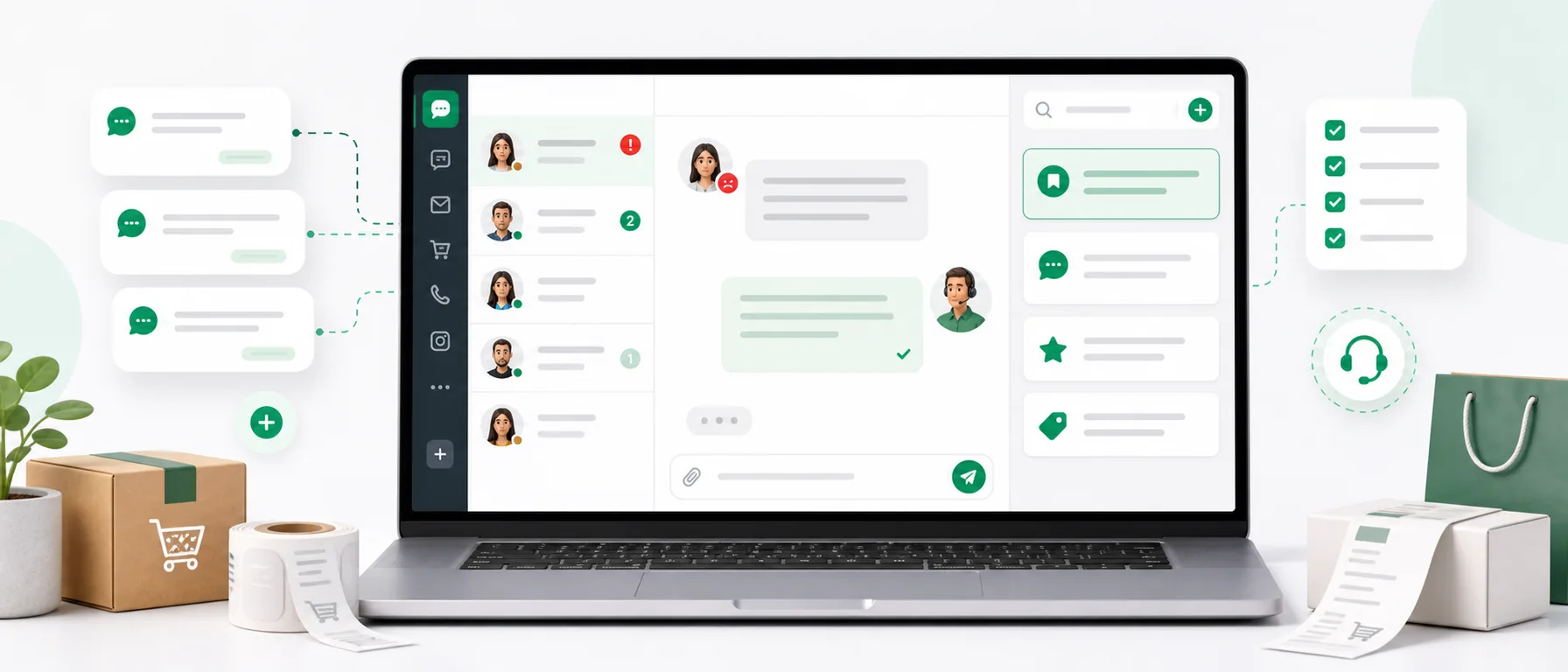
A customer writing in frustration rarely wants a war with the store. Most often, they want specifics: where is their package, when will they receive a refund, what to do with a damaged product, or why no one has responded earlier.
The problem in e-commerce is that such messages usually come in at the worst times: Monday morning, during order packing, after the weekend, after a courier failure, or when one person is handling chat, email, Instagram, and marketplace simultaneously.
At that moment, it’s easy to respond too curtly, too late, or inconsistently each time. And the customer reads not only the content of the response. They also read the tone. If the message sounds defensive, the situation can escalate quickly.
Below you will find 15 ready-to-use response templates for your online store. You can copy them, adjust them to your regulations, logistics process, and brand tone, and then save them as quick replies in Chataptor.
If you want to organize more repetitive conversations, check out the guide on live chat canned responses. You will also find useful information about free live chat with no limits and how to have customer messages in one place.
How to Write to a Difficult Customer Without Making the Situation Worse?
A good response in a stressful situation should do four things:
- Acknowledge the problem - the customer needs to see that their message has been understood.
- Ease the tension - without blaming the customer, the courier, the warehouse, or the system.
- Provide a clear next step - what the store will do now and what it needs from the customer.
- Set expectations - when the customer can expect further information.
You don’t need to write long messages. Often, a short, specific response is better than an elaborate explanation. An emotional customer doesn’t want to read the entire process history. They want to know that someone is taking care of the issue.
A good template looks like this:
Empathy + specifics + next step + timeline
Example:
I’m sorry that your package hasn’t arrived yet. I’m checking the shipment status with the carrier. I will get back to you with information by the end of the day at the latest.
This simple sentence works better than a cold: “Please check the tracking number.”
15 Ready-to-Use Response Templates for E-commerce
The following messages are written to be suitable for live chat, email, social media messages, and marketplace communication. Each template includes a suggested command that you can save in Chataptor.
1. Customer Asks Where Their Package Is
Suggested Command: /status
Hello, I’m checking the status of your order. Please hold on for a moment. If the shipment has already been dispatched, I will verify its current location with the carrier and get back to you with specific information.
2. Package is Delayed
Suggested Command: /delay
I’m sorry that the shipment hasn’t arrived on time. I will check the delivery status now and see if the carrier has noted any delays. I will let you know what I find out and what the next step will be.
3. Customer Claims Their Package is Lost
Suggested Command: /lost
I understand that this situation is frustrating. We are already reporting the issue to the carrier and checking what happened to the shipment. Please confirm your order number and delivery address. This will help us start resolving the issue faster.
4. Status Shows Delivered, but Customer Doesn’t Have the Package
Suggested Command: /delivered-missing
Thank you for the information. If the status shows delivery but you don’t have the package, we need to clarify this with the carrier. Please check if the shipment was left with a neighbor, at the reception, in a pickup point, or another safe place. Meanwhile, we will investigate the matter on our side.
5. Customer Received a Damaged Product
Suggested Command: /damage
I’m very sorry that the product arrived damaged. We will take care of this. Please send photos of the damage, the outer packaging, and the shipping label. After receiving the photos, we will review the report and inform you how we will resolve the issue.
6. Customer Received the Wrong Product
Suggested Command: /wrong-product
We apologize for the mistake. We will check what happened during the order fulfillment. Please send your order number and a photo of the product you received. After verification, we will inform you how to exchange the product for the correct one as soon as possible.
7. One Product is Missing from the Package
Suggested Command: /missing-product
Thank you for reporting this. We will check the order fulfillment and shipping status. Please send your order number and information about which product is missing. If we confirm the absence, we will propose sending the product or another solution appropriate to the situation.
8. Customer is Upset About Lack of Response
Suggested Command: /no-response
I apologize for the wait for a response. I understand that the lack of information may have been frustrating. I am already looking into your case and checking what we can do to resolve it as quickly as possible.
9. Customer Wants an Immediate Refund
Suggested Command: /refund
I understand that you want a quick refund. I will check the status of the request and the stage of the refund process. If everything is complete, I will confirm the expected refund date. If any information is missing, I will let you know right away what is needed.
10. Customer Wants to Cancel Their Order
Suggested Command: /cancellation
Of course, I will check if the order can still be canceled. If it hasn’t been sent for shipping, we will stop it and confirm the cancellation. If the package has already been dispatched, I will inform you of the available options.
11. Customer Threatens with a Negative Review
Suggested Command: /negative-review
I understand your dissatisfaction and want to help resolve this issue. Please give us a moment to check the details of your order. We care about providing a fair explanation of the situation and proposing a concrete solution.
12. Customer Writes Very Emotionally or Impolitely
Suggested Command: /calm
I understand that this situation has caused frustration. I want to help, so please provide your order number and a brief description of the problem. I will check the matter and get back to you with specific information on what we can do next.
13. Customer Did Not Read the Return Policy
Suggested Command: /return-policy
I will explain how the return procedure works. To accept the request, we need your order number and information about which product is to be returned. After receiving the data, we will provide the next steps according to our store’s return policy.
14. Customer Asks About Product Complaint
Suggested Command: /complaint
Thank you for reporting this. Please describe the problem with the product and send photos or a short video if the defect is visible. Based on this, we will verify the matter and inform you of the next steps for the complaint.
15. Need to End the Conversation After Resolving the Issue
Suggested Command: /end
Thank you for your patience. I’m glad we were able to clarify the issue. If you have any further questions regarding your order, please feel free to write. We are happy to help.
How to Adapt Templates to Your Store?
Ready responses should not sound like automated messages. It’s best to treat them as a base and adjust them to your own service style.
Before saving the templates, go through a short checklist:
- Does the message fit your brand’s tone?
- Does it not promise something the team cannot deliver?
- Does it include a clear next step?
- Does the customer know if they need to provide anything?
- Does the template not sound accusatory?
- Does it fit the channel it will be used in, such as chat, email, or marketplace?
- Can you easily add the order number, timeline, or carrier name if needed?
The most important rule: the template should speed up the response, not replace thinking. If a customer describes an unusual problem, the agent should use the template as a starting point and add details.
Which Templates Should Always Be Handy?
In an online store, the same categories of topics often repeat. It’s worth grouping quick responses so that the consultant doesn’t have to search for them in a hurry.
| Category | Example Commands | When to Use |
|---|---|---|
| Delivery | /status, /delay, /lost | When the customer asks about the package, delay, or delivery |
| Damages and Errors | /damage, /wrong-product, /missing-product | When something went wrong with the order |
| Returns and Complaints | /refund, /return-policy, /complaint | When the customer wants to return a product or report a defect |
| Difficult Conversations | /no-response, /negative-review, /calm | When the customer’s emotions are high |
| Ending | /end | When the issue has been resolved |
This division is simple but very helpful in daily work. Especially when several people handle customers and everyone should respond consistently.
How to Save Quick Replies in Chataptor?
In Chataptor, you can save such messages permanently and insert them into the conversation using a short command. This is a good solution for stores that want to respond faster to repetitive questions while still maintaining a natural tone of conversation.
Step-by-step instructions:
- Go to the menu on the left side.
- Open the Response Templates tab.
- Click the Add Template button in the upper right corner.
- Choose the page where the template will work for the live chat widget.
- Enter the template title, for example, “Delayed Package.”
- Add a shortcut or command, for example,
/delay. - Select the template category. With a larger number of ready responses, categories help with filtering.
- Optionally select the language. You don’t have to do this, as the template can be translated into the customer’s language.
- Enter the template content.
- Save the template.
After adding the template, just enter any conversation, type the set shortcut, for example, /delay, and insert the ready message into the chat window.
This is especially useful in live chat for e-commerce, where time is of the essence. Instead of typing the same response again, the consultant can insert the ready content, quickly adjust it, and send it to the customer.
How Chataptor Helps in Handling Difficult Situations?
A difficult customer is often not a problem in itself. The problem is the chaos on the company’s side: messages in many places, lack of ready responses, manual copying of content, varying communication tones, and too long response times.
Chataptor helps organize this process. You can manage customer messages in one panel, use free live chat on your site, respond to conversations from different channels, and create quick replies for the most common situations.
If the store operates in several markets, AI automatic translations are also useful. A customer can write in their language, the agent can read and respond in English, and the customer will receive the message in their language. This way, the same templates can help not only in the Polish version of the store but also in servicing foreign customers.
Chataptor is 100% free, with no limits and no paid features. For the store, this means that you can start with a simple step: add chat to your site, save the most important response templates, and see how many repetitive issues can be handled faster.
What to Avoid in Responses to an Upset Customer?
Even a good template can backfire if used without sensitivity. Here are the mistakes that most often raise tension:
- Blaming the courier - the customer bought from your store, so they expect help from you.
- Too formal tone - a cold response can sound like a refusal to help.
- Lack of a timeline - “we will get back to you” is less specific than “we will return with information by the end of the day.”
- Copying the policy without explanation - the customer needs instructions, not a wall of text.
- Promises without backing - it’s better to say “we will check and get back to you with information” than to promise a solution that cannot be guaranteed.
- Sending a template without reading the customer’s message - the customer will immediately sense that no one addressed their problem.
The best quick responses are short but not cold. Ready, but not impersonal. Consistent, but still human.
What to Do Today?
If you want to immediately improve handling difficult situations in your store, start with three simple actions:
- Choose the 10 most common customer problems from the last month.
- Prepare ready responses for them according to the template: empathy, specifics, next step, timeline.
- Save them in Chataptor as templates with short commands.
After a few days, check which templates were used most often. This is a good signal of where the store is losing the most time and which processes are worth improving, such as communication about delivery, order statuses, or return instructions.
FAQ
How to Respond to a Difficult Customer in an Online Store?
It’s best to be brief, calm, and specific. Acknowledge the problem, show that you are taking care of it, provide the next step, and specify when the customer will receive further information.
Do Ready Responses in Customer Service Make Sense?
Yes, if used wisely. Response templates shorten response time and help maintain a consistent tone, but the consultant should always adapt the message to the specific situation.
What Response Templates Should Be Available in E-commerce?
The most important templates are those regarding package status, delays, lost shipments, damaged products, incorrect products, refunds, complaints, and order cancellations.
How to Add Quick Replies in Chataptor?
In the left-side menu, go to Response Templates, click Add Template, choose the page, enter the title, command, category, and message content. Then you can use the shortcut directly in the conversation.
Can Response Templates Work in Live Chat?
Yes. In Chataptor, you can save a template for the live chat widget and insert it into the conversation using a command, such as /delivery or /refund.
Does Chataptor Translate Response Templates into the Customer’s Language?
Yes, Chataptor can automatically translate messages. The agent can write in English, and the customer will receive a response in their language. This is useful in stores serving foreign customers.
Is Chataptor Free?
Yes. Chataptor is 100% free, with no limits and no paid features. You can use it as a free live chat, a panel for communicating with customers, and a tool for quick responses.
Summary
Difficult conversations in e-commerce are inevitable. Packages will be delayed, products may arrive damaged, and customers will write in emotions. The store does not always have control over the problem itself, but it can control how quickly and calmly it responds.
Ready response templates help the team react faster, maintain a consistent tone, and avoid writing the same messages from scratch. They work best when they are short, specific, and saved in a place that the consultant uses daily.
If you want to organize customer messages, add free live chat to your site, and use quick responses without limits, Chataptor is a good place to start. You can begin by saving a few templates from this article and using them in your next conversation with a customer.
Keep reading
Related guides
The most expensive customer message is the one no one noticed
A missed customer message can mean a lost sale, complaint or relationship. See why messages disappear and how a shared inbox helps prevent it.
Omnichannel customer service: bring every channel into one inbox
Learn what omnichannel customer service means and how to bring live chat, email, social media, WhatsApp and marketplace messages into one inbox.
How to support international customers when you do not know the language
A practical guide to answering international customers without speaking their language: process, examples, response templates and AI translation workflow.