







Customers do not think about which department checks messages on Instagram, who replies to e-mails or whether the live chat conversation is visible to the person handling WhatsApp. From his perspective, the entire company should work as one team.
A customer can start with a question on Facebook, then go to the website, and after purchasing, send an e-mail. They expect efficient and consistent service, without having to constantly explain from the beginning who they are and what they need.
In many companies, each channel still operates separately. Messages from the website are sent to one tool, social media is handled directly on several websites, and emails are checked by several people. Omnichannel customer service organizes this process: it allows you to collect conversations in a common inbox and build one way of working for the entire team.
What is omnichannel customer service?
Omnichannel customer service is a method of organizing communication in which various channels are combined into one coherent process.
The customer still chooses the most convenient place of contact, for example:
- live chat or form on the website,
- e-mail,
- Facebook Messenger,
- Instagram,
- WhatsApp,
- Allegro or Amazon,
- another sales or communication channel.
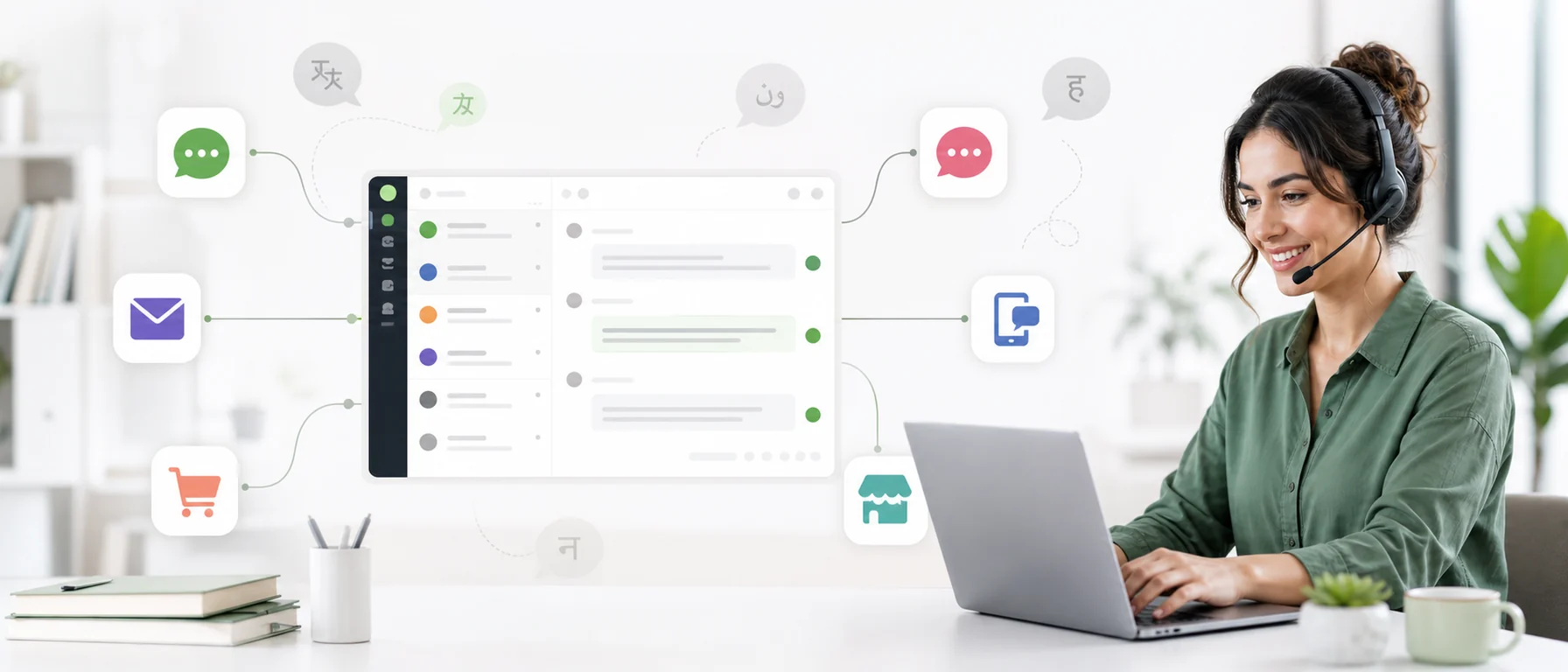
On the company side, messages go to a shared work environment. The team sees which channel the message came from, can reply to the customer and handle conversations without constantly switching between applications.
The most important element of omnichannel is not the sheer number of integrations. What matters is that the customer receives consistent support regardless of the channel they use.
Multichannel and omnichannel - what is the difference?
The terms multichannel and omnichannel are sometimes used interchangeably, but they describe two different ways of working.
| Multichannel | Omnichannel |
|---|---|
| The company provides many channels | Channels are combined into one process |
| Each channel is handled in a separate application | Messages go to a shared inbox |
| The history of communication is scattered | The team works in one system and according to common principles |
| Changing the channel may mean losing context | Easier to retain context when changing channels |
| More channels mean more apps | More channels don’t require more apps |
A multichannel company gives the customer a choice: he can write on Instagram, send an e-mail or use chat. An omnichannel company adds process continuity on its side.
If you want to learn more about the concept of a shared inbox, read the guide what is omnichannel inbox.
Why does omnichannel customer service support sales?
Customer service affects sales much earlier than there is a complaint or return request. Customers ask about availability, delivery, size, color, lead time, payment and the possibility of product customization. Often they are already close to making a purchase and only need one specific answer.
Less missed messages
When each channel is checked individually, it’s easy to miss valuable queries. This especially applies to messages on social media, which are mixed with notifications and comments.
A shared mailbox reduces the number of places you need to check and reduces the risk of leaving your customer unanswered.
Faster response to pre-purchase questions
An employee does not have to open several applications to check whether a new conversation has appeared. They can focus on one shared inbox instead.
Faster service doesn’t just come from typing fast. It also takes a lot of time to find the message, check previous arrangements and determine who should respond.
More consistent responses
The customer should not receive different information in the chat, different in a private message and still different by e-mail. Shared rules and ready-made live chat replies help the team maintain cohesion without creating impersonal communication.
Easier to continue after changing the channel
Not every case can end where it started. The customer can ask about the product on Instagram, place an order in the store, and send the documents by e-mail. One service process makes it easier for the team to recreate the context and conduct the next stage of the conversation.
How does omnichannel help retain customers?
Obtaining an order is just the beginning. The customer can later inquire about status, delivery, instructions, exchange or next purchase.
A well-organized system helps avoid situations in which:
- two people reply to the same message,
- no one answers because everyone assumes that someone else will do it,
- the client receives contradictory information,
- arrangements remain on the employee’s private messenger,
- the message is lost in the absence of the person conducting the conversation,
- the customer must resend the order number and describe the problem.
Loyalty isn’t created solely through discounts. It is also built by the feeling that the company remembers the context and can efficiently complete the matter.
How to implement omnichannel customer service step by step?
Implementation shouldn’t start with connecting every possible channel. First, it’s worth understanding what communication looks like today.
1. List all the places where customers write from
Start with a simple audit. Include forms, live chat, the main email inbox, department addresses, Facebook, Instagram, WhatsApp, marketplaces and messages sent directly to employees.
Don’t just look at the official procedure. If customers write to the owner’s private number or the team shares screenshots, this also needs to be taken into account.
2. Check where messages are most often lost
Browse through a dozen or so recent cases and check:
- how long the customer waited for the first response,
- how many people participated in the conversation,
- whether the client had to repeat the same information,
- Did the answer require switching between tools?
- whether previous arrangements were easily accessible,
- whether someone manually copied the message to the translator,
- whether the case has been clearly concluded.
The goal is not to find someone to blame, but to find places where the current process is hindering the team.
3. Select one main panel
An omnichannel system needs a central workspace. This is where the team should check for new conversations and respond to customers.
Chataptor allows you to handle messages from, among others, a website widget, Facebook, Instagram, WhatsApp, e-mail, Allegro and Amazon, as well as from various websites, stores and language versions in one place.
The customer does not lose the opportunity to choose the channel. He still writes wherever he feels most comfortable. The way of working on the company’s side is changing.
4. Start with the most important channels
You don’t have to integrate everything in one day. Choose two or three sources from which most messages come and then perform a full test:
- send a message as a customer,
- check if it went to the panel,
- reply from the selected tool,
- check if the response has been received,
- verify that the channel is marked correctly.
Only add additional sources when the basic process is working properly. Detailed instructions can be found in the guide how to connect communication channels with Chataptor.
5. Establish common rules for responding
Combining tools won’t be enough if every employee still works differently. Determine:
- who checks new messages,
- what is the expected first response time,
- when to transfer the conversation to another person,
- what information needs to be collected from the client,
- how to mark a completed case,
- how to record important arrangements,
- which answers can use templates.
The process should also be simple for a new person on the team.
6. Prepare templates for the most common answers
Most companies regularly ask questions about product availability, delivery time, shipping costs, order status, invoice, return, complaint or B2B cooperation.
In Chataptor you can prepare your own Message Templates and run them with simple commands. For example, the shortcut /chwila might insert the response:
I’m checking it now. Please be patient for a moment.
The template should speed up work, but the employee should still be able to tailor the message to a specific conversation.
7. Enable multi-language support
Omnichannel becomes especially useful when a company operates on several markets. Without the right tool, the team copies the message into the translator, translates the response, and pastes it back into the correct channel.
Chataptor can automatically translate conversations. The customer writes in his own language, and the employee reads the message and responds in the language used by the team. The answer goes to the customer in his language.
You can read more about this process in the article about automatic translation in customer service.
8. Provide mobile support
In small companies, messages are often handled by the owner, salesperson or someone who also performs other tasks. Access from your phone allows you to notice an important question without waiting to return to the office.
This does not mean you have to work around the clock. It’s about flexibility and the ability to respond when needed.
9. Measure metrics that show the real problem
At first, you don’t need an extensive reporting system. It’s worth checking regularly:
- number of messages from each channel,
- average first response time,
- number of conversations left without a response,
- most frequently asked questions,
- channels generating the most pre-purchase inquiries,
- matters requiring the most manual steps.
Such data will show where it is worth preparing a new template, simplifying the process or changing the division of responsibilities.
Example of customer service in the omnichannel model
The customer sees the product on Instagram and sends an inquiry about availability. The message goes to a shared panel, and the employee responds and provides a link to the product.
After placing the order, the customer sends an e-mail asking to change the delivery address. The team can work in the same environment and it is easier to check previous arrangements.
A few days later, the customer uses WhatsApp to ask about the shipment. The fact that three channels were involved should not matter. What matters is receiving efficient and consistent help at every stage.
The most common mistakes in omnichannel implementation
Adding channels without a plan
The company sets up an account on another website, but does not specify who should check the messages. The result is not better accessibility, but more places where a query can get lost.
Confusing omnichannel with being everywhere
You don’t have to support every possible channel. It’s better to maintain four important sources well than to have ten inactive profiles.
Leaving some conversations on private accounts
If important messages still only end up on employees’ private phones or accounts, the company doesn’t have a complete picture of communications.
Different replies depending on the channel
A customer asking about a refund should receive the same information in chat, Instagram and email. Templates and common rules help reduce conflicting answers.
Too much automation
Automation helps with translation, routing and inserting templates. However, it should not remove a person from situations requiring assessment, empathy or non-standard decisions.
No test after integration
Just seeing the “connected” message is not enough. Each channel must be checked from the customer’s perspective: send a message, receive it in the panel and verify the response.
How does Chataptor simplify omnichannel customer service?
Chataptor was created so that the company does not have to separately check all the places from which customers write.
You can handle messages from the website, social media, e-mail and marketplaces in one panel, and automatic translations make working with foreign clients easier.
In practice this means:
- less switching between applications,
- lower risk of missing the message,
- easier transfer of conversations between employees,
- faster responses thanks to templates,
- easier support for multiple websites and languages,
- service on a computer and in a mobile application,
- one structured process for the team.
Chataptor is available for free, with no message limits and no paid features. You can start with live chat on the website and launch subsequent integrations when needed.
Omnichannel support implementation checklist
- List all the channels from which customers write.
- Check where messages are most often lost.
- Select one main mailbox for the team.
- Connect the most important two or three channels.
- Send a test message from each source.
- Determine who responds to new conversations.
- Specify the expected first response time.
- Prepare templates for the most common messages.
- Enable automatic translations.
- Check the operation of the mobile application.
- Analyze recurring questions regularly.
- Add channels only when the current process is working properly.
Omnichannel doesn’t have to be complicated
The phrase “omnichannel customer service” may sound like a project only for large companies. Its meaning is simple: customers can write through whichever channel is most convenient, while the company handles every message in one organized process.
There is no need to rebuild the entire service at once. You can start by combining your website, email, and your most important social media channel. Then it’s worth preparing a few templates, turning on translations and establishing a clear process for handing conversations over.
If you want to collect customer messages in one panel, create a free Chataptor account and set up your first integration.
FAQ
What does omnichannel customer service mean?
It is customer service provided through many connected channels. Messages from the website, e-mail, social media and other sources go into one process instead of being handled completely separately.
How does omnichannel differ from multichannel?
Multichannel means that the company provides several contact channels. Omnichannel combines them into one way of working so that the service is consistent and the team does not have to check each inbox separately.
How to collect messages from customers in one place?
You need a tool with a shared inbox and integrations of the channels you use. In Chataptor you can connect a website widget, email, Facebook, Instagram, WhatsApp, Allegro and Amazon, among others.
Is omnichannel necessary for a small company?
It can be especially useful when messaging is handled by one person or a small team. One panel limits the number of applications to check and reduces the risk of missing a query.
Do I need to connect all channels at once?
No. It’s best to start with the sources that generate the most messages, test the process, and then gradually add more.
How does omnichannel support sales?
It facilitates quick response to pre-purchase questions, reduces the number of missed messages and allows you to more efficiently continue service after changing the channel.
Does omnichannel help serve foreign customers?
Yes, especially when the system offers automatic translations. In Chataptor, the customer can write in their own language, and the employee can read the message and reply in the language used by the team.
Is Chataptor free?
Yes. Chataptor is available for free, with no message limits and no paid features.
Keep reading
Related guides
The most expensive customer message is the one no one noticed
A missed customer message can mean a lost sale, complaint or relationship. See why messages disappear and how a shared inbox helps prevent it.
Tawk.to - best alternatives and feature comparisons
Learn what tawk.to is, whether it is really free, which features it offers, where it works well and when it makes sense to choose a tawk.to alternative.
Omnichannel inbox: how to keep customer messages in one place
Learn what an omnichannel inbox is and how to bring live chat, WhatsApp, Messenger, Instagram, Facebook and email messages into one customer support panel.